SFL Widgets

Select a widget to get started
🌻 SFL widget+notif
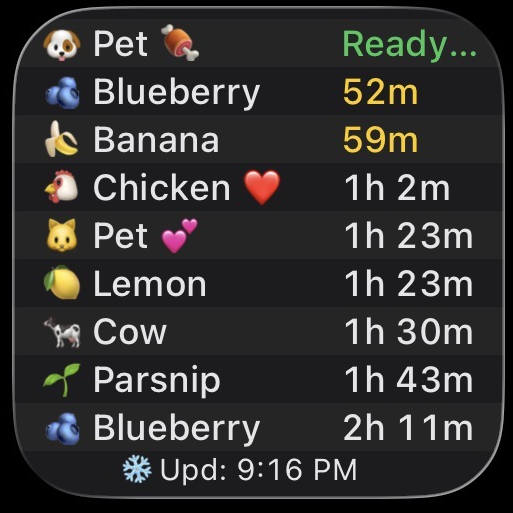
Track your farm with custom filters and notifications.
🏛️ SFL auctions
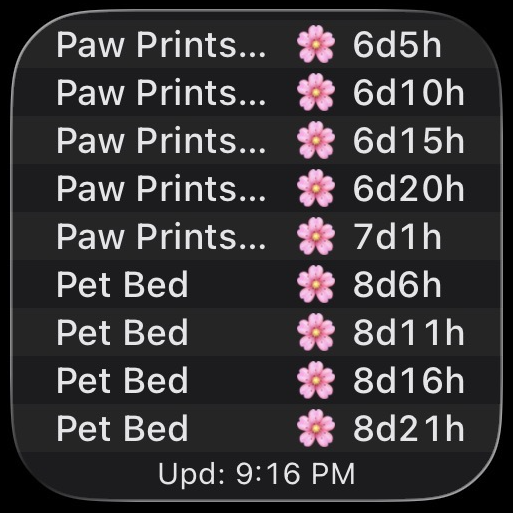
Get notified about upcoming auctions.
🌸 Flower USD
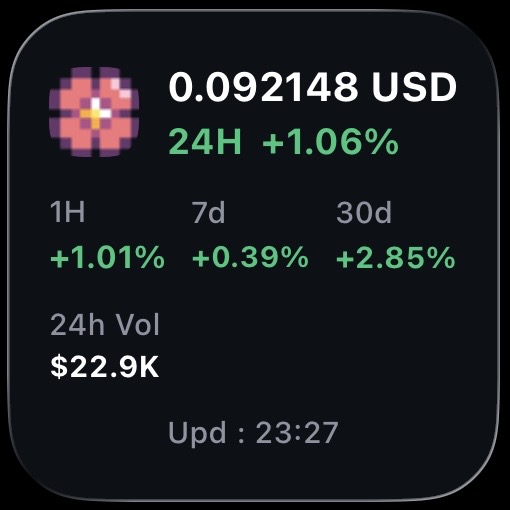
$FLOWER price in USD. No setup required.
📊 SFL.world prices
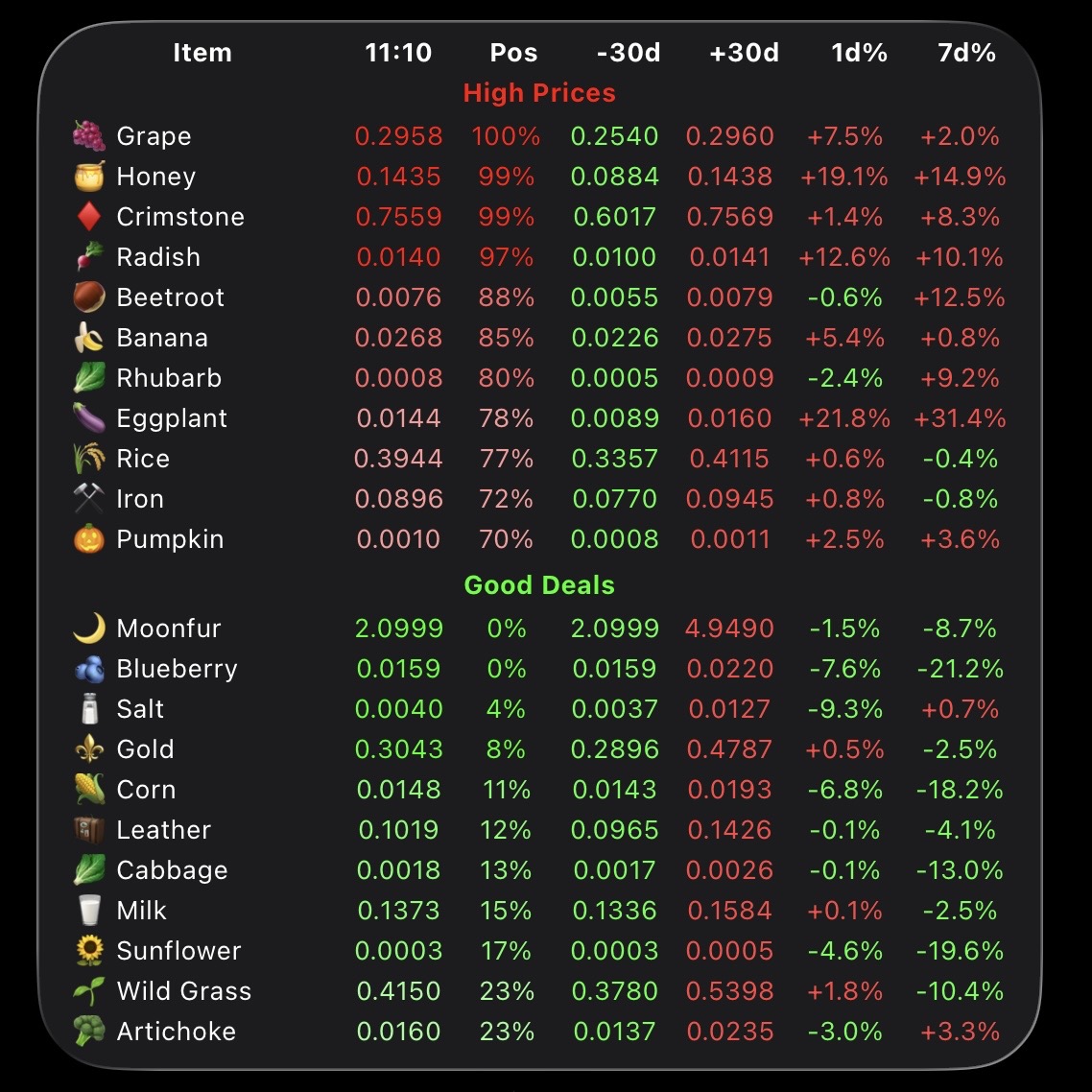
P2P market prices with buy/sell signals and 30-day history.
1️⃣ Install Scriptable
Download Scriptable from the App Store: Scriptable on App Store
2️⃣ Generate your custom widget code
Fill in the form below to generate your custom widget code.
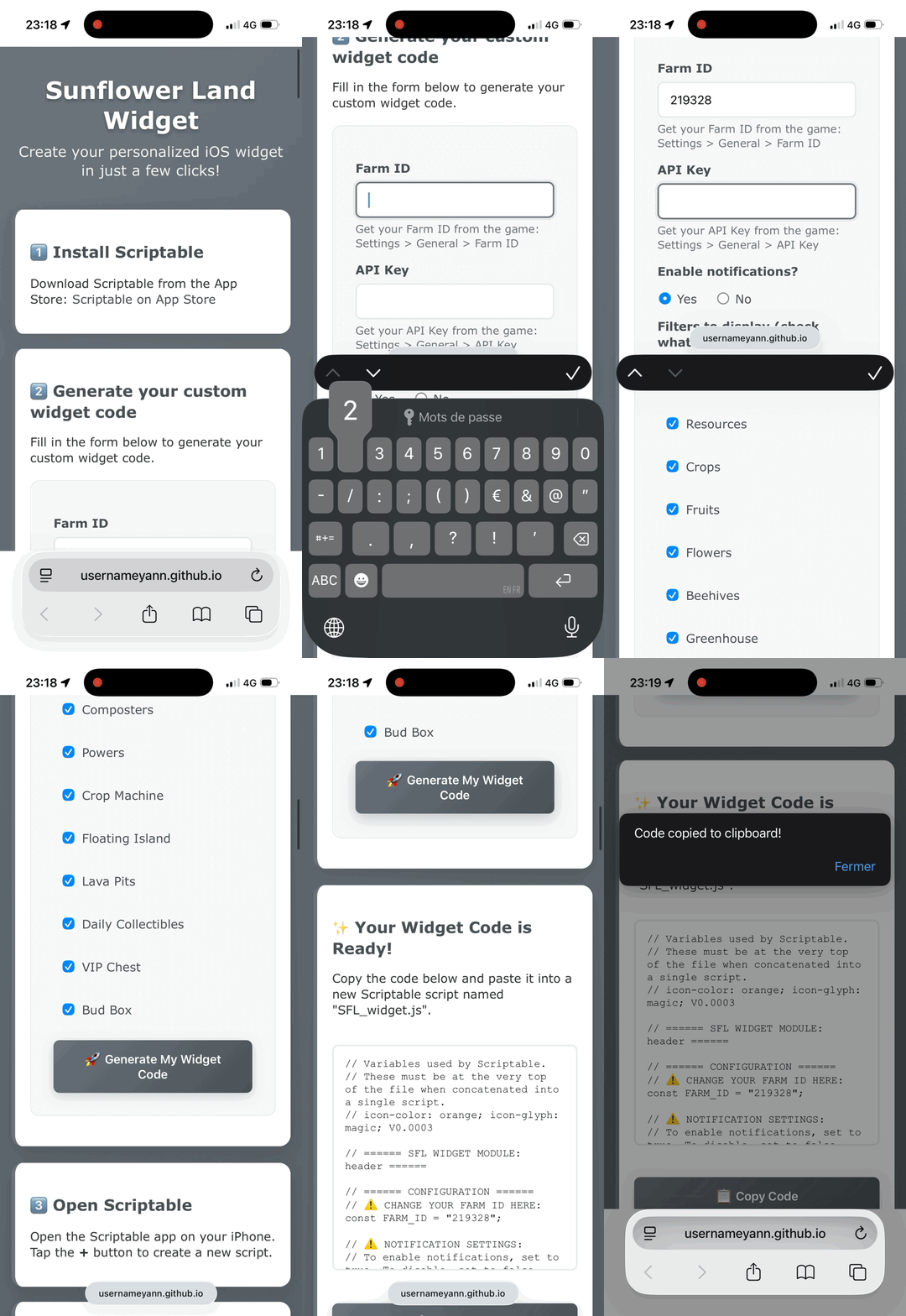
✨ Your Widget Code is Ready!
Copy the code below and paste it into a new Scriptable script named "SFL_widget.js".
3️⃣ Open Scriptable
Open the Scriptable app on your iPhone. Tap the + button to create a new script.
4️⃣ Paste and save
Paste the generated code, name it "SFL_widget.js", and save. Add the widget to your home screen!
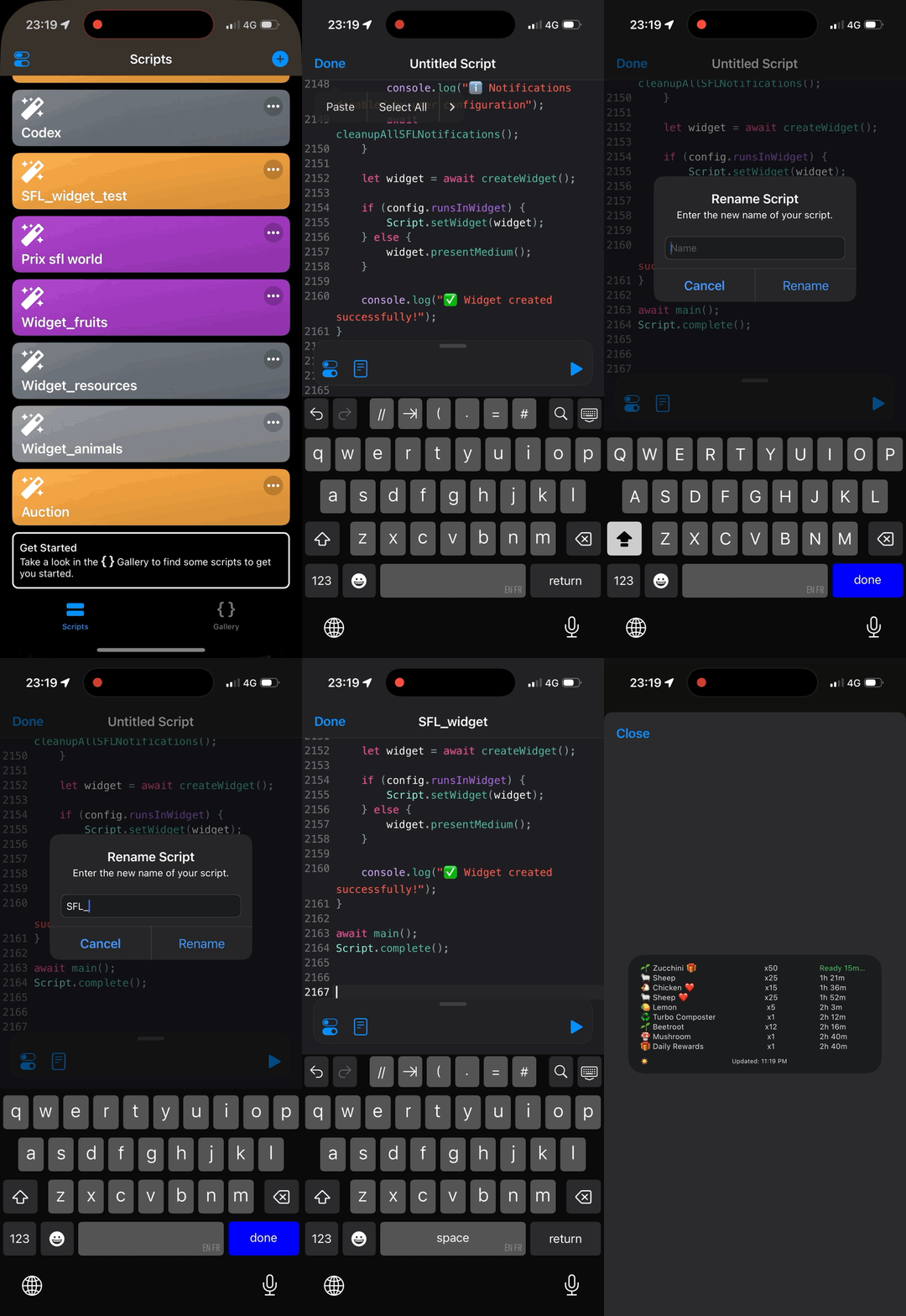
3️⃣ Install "Install_SFL_Widget" (optional)
How to use it:
- Click Add Shortcut right below:
- Add the Shortcut.
- The Shortcuts app will open, tap "Install_SFL_Widget".
- Allow file saving.
- Also allow file deletion.
Once validated, the file will be in the Scriptable app. You can close Shortcuts.
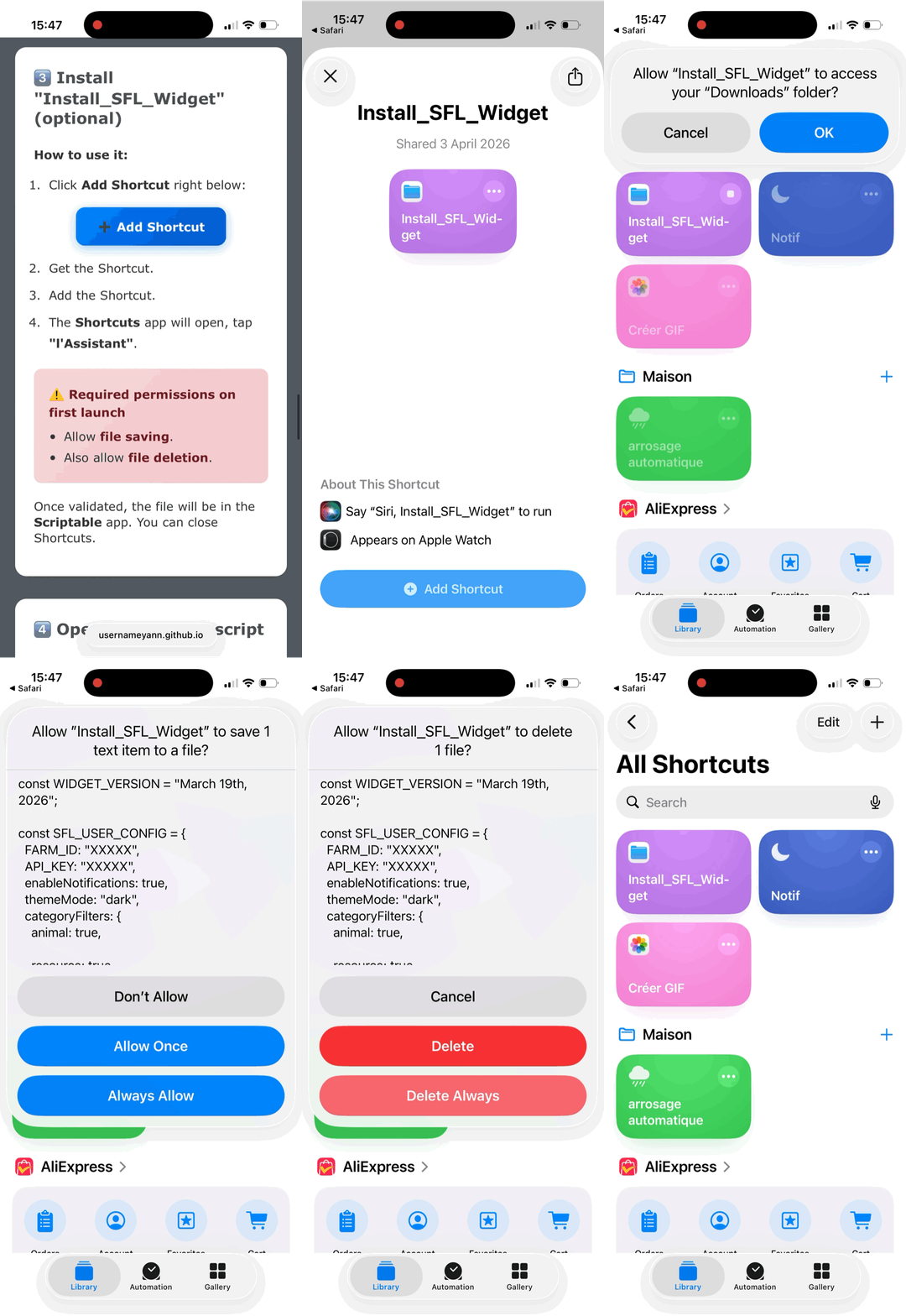
4️⃣ Open and run the script
Open Scriptable on your iPhone and tap SFL_widget in the list to run it. You can close Scriptable.
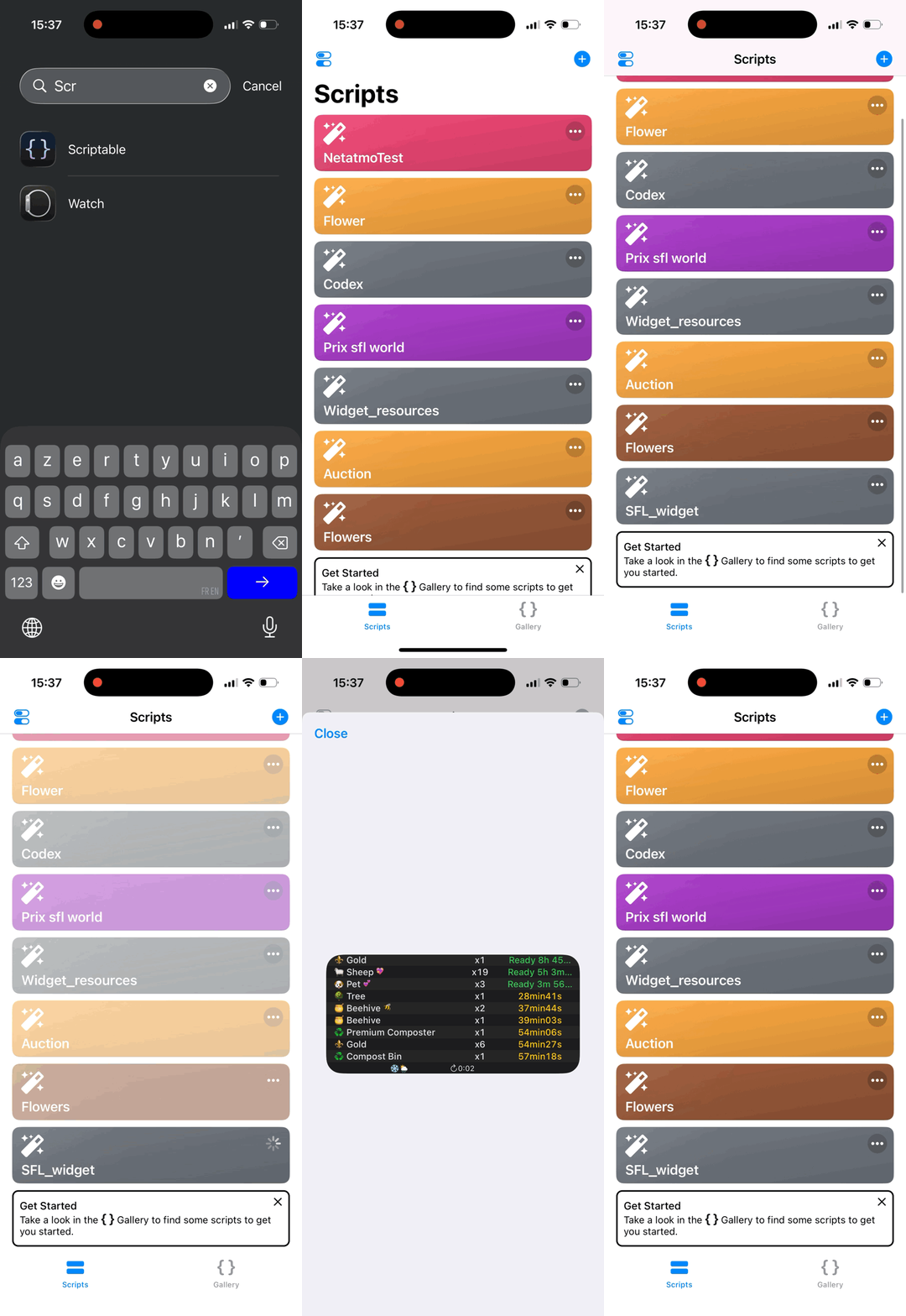
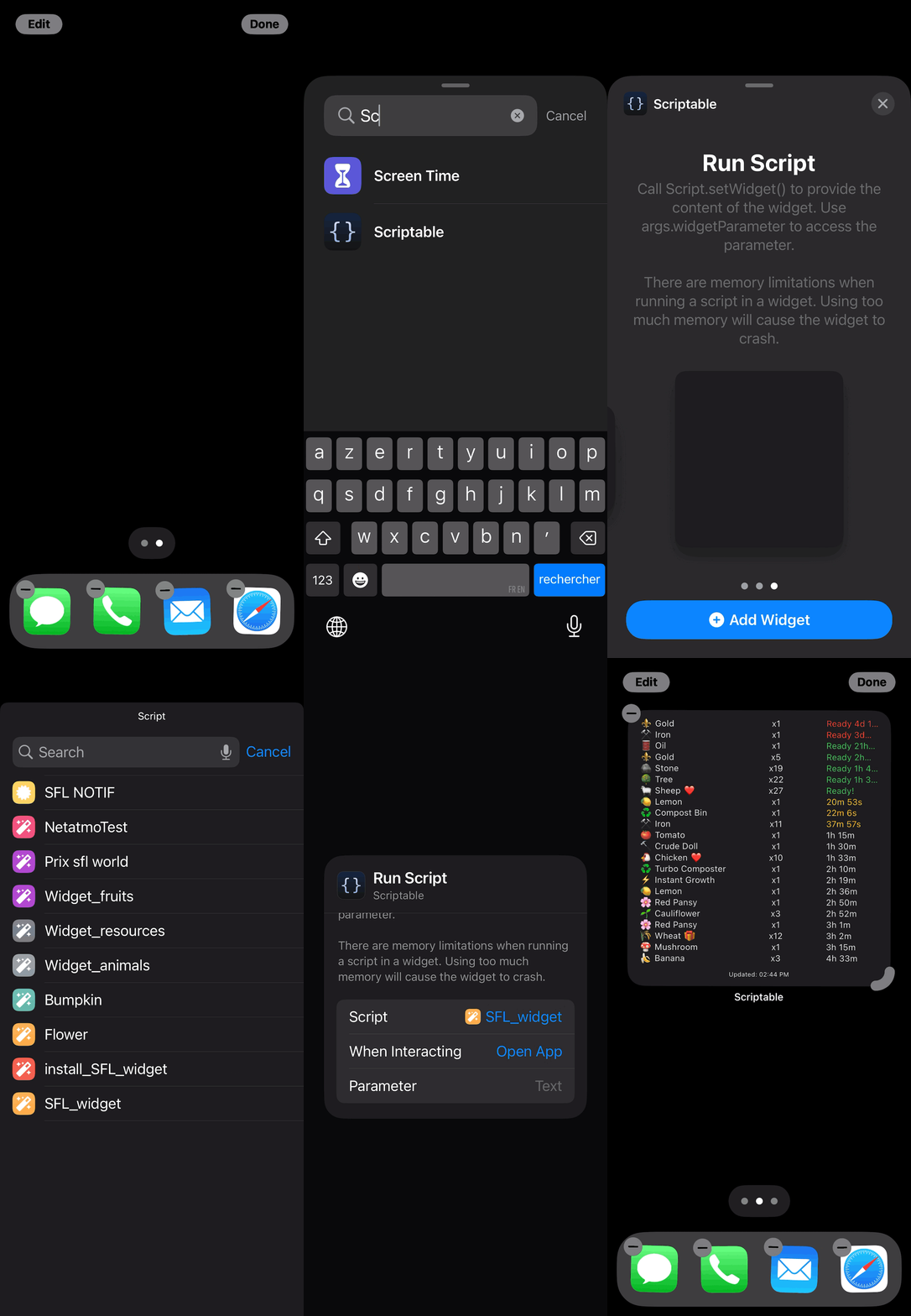
5️⃣ How to Add the Widget to Your Home Screen
- Go to your iPhone Home Screen.
- Long press and tap the + button (top left).
- Search for Scriptable in the widget list.
- Add the Scriptable widget, then select SFL_widget in the widget settings.
📊 SFL.world Prices Widget Setup
Prices sourced from sfl.world P2P market, not from the game directly. Refreshed every 15 min.
Paste this into a new Scriptable script named sfl.world-prices-v3.
🌸 Flower USD
Paste this into a new Scriptable script named Flower-USD.
🏛️ SFL Auctions Widget Setup
Get notified about upcoming auctions and stay ahead of the competition! This widget shows future auctions with notifications so you never miss bidding opportunities.
✨ Your Auctions Widget Code is Ready!
Copy the code below and paste it into a new Scriptable script named "SFL_auctions.js".
📋 Quick Setup Instructions
- Generate the code: Select your preferred theme above and click the generate button
- Copy the code: Use the "Copy Code" button or download the file
- Open Scriptable on your iPhone
- Create new script: Tap the + button to create a new script
- Paste and save: Paste the code, name it "SFL_auctions", and save
- Add to home screen: Long press home screen → + → Scriptable → Select "SFL_auctions"
🔄 Widget Updates
A new version is out? Go back to this website, regenerate your code with the same settings, and replace the script in Scriptable. Your farm settings will be kept.
💡 Tips & FAQ
- 🌻 Main Widget: Use the generator above for your farm overview with custom filters
- 🔔 Notifications require Scriptable to be allowed in iOS settings for both widgets
- 📲 Open Scriptable regularly to keep notifications working
- 🔄 Tap any widget to refresh manually
- 📱 If copy-paste doesn't work, use the "Download File" button and import into Scriptable
🌻 Bonus & Support
👋 Visit my farm: Click here to visit my Sunflower Land farm
🔗 Check out my SFLventory
🎉 Enjoy your Sunflower Land widget with notifications!